 Design goal
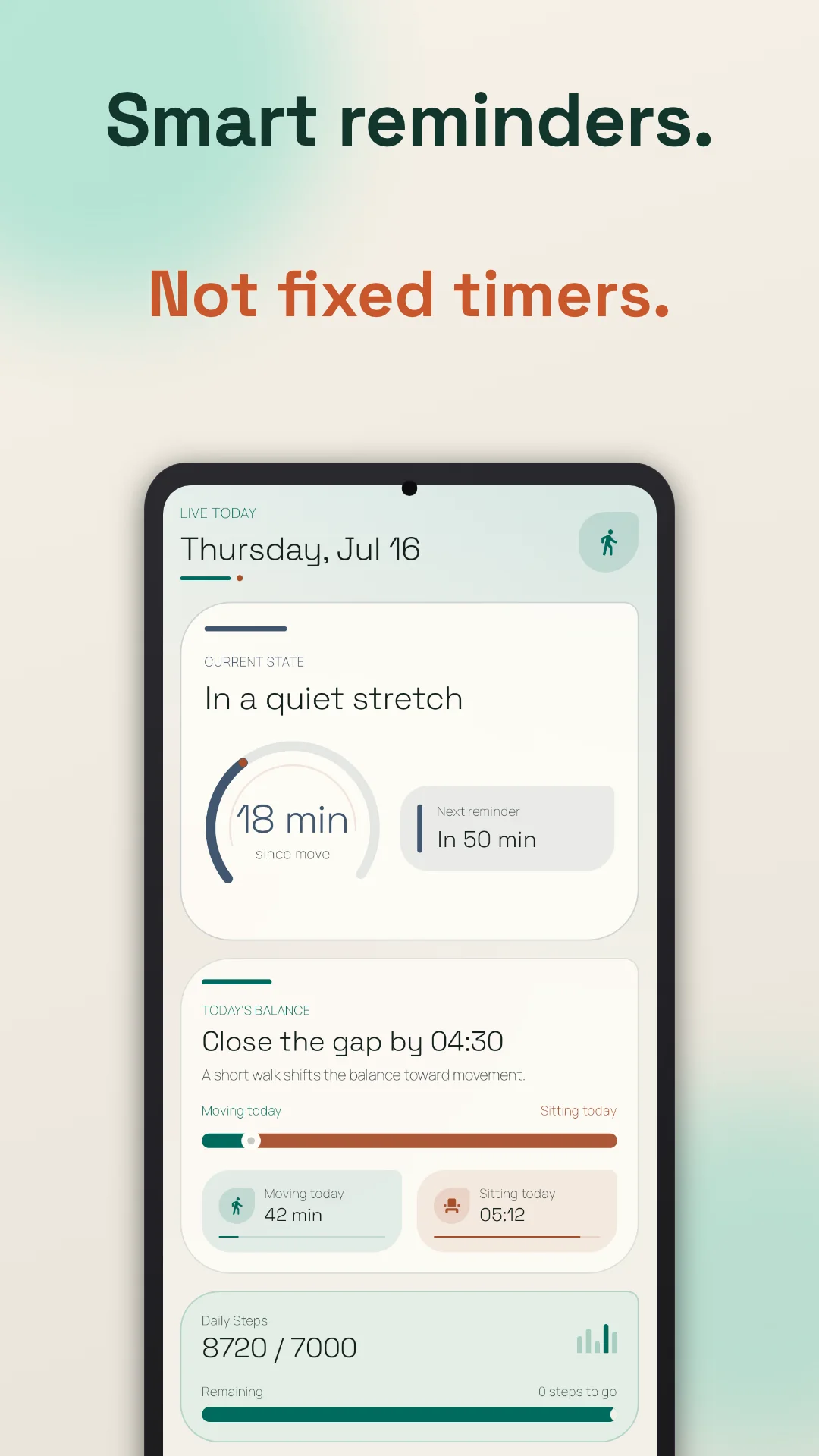
A sedentary reminder app helps you notice and interrupt long periods of little movement. Move More lets Android and Wear OS users configure the threshold, reminder window, cooldown, daily limit, goals, and quiet hours—then review how sitting and movement were distributed through the day.
What makes a sedentary reminder useful
Most people do not need proof that a timer can send a notification. The harder product problem is relevance. A prompt that arrives just after you walked to lunch, during a meeting, late at night, or ten times in one afternoon trains you to swipe it away.
Useful sedentary reminders need several layers of control:
Choose how long a quiet stretch should last before the app considers a reminder.
Turn reminders on only during the days and hours when they can help.
Use cooldowns and daily limits so one difficult workday does not become a notification barrage.
History and insights reveal whether reminders lead to completed breaks or merely more dismissals.
Move More combines these controls with supported activity context. That does not make phone sensing perfect, but it gives the reminder system more information than a clock-only alarm.
A practical setup process
- Start with the hours, not the interval. Define the days and windows when long sitting is actually a problem. Exclude your commute, evening, sleep time, or exercise block if prompts there would be irrelevant.
- Pick a conservative first threshold. Many people begin somewhere in the 30–60 minute range, but this is a usability starting point—not a medical rule. Choose a setting that creates a manageable number of prompts.
- Choose a tiny response. The break can be standing, a short walk, water, a household task, or another comfortable light-activity option. The reminder should make the next action easy.
- Cap the noise. Set a cooldown and daily limit. If you repeatedly dismiss prompts, reduce frequency or narrow the schedule before assuming you need more willpower.
- Review a full week. Look for long flat stretches, ignored periods, and times when reminders were consistently useful. Adjust the system around that evidence.
Public-health sources encourage adults to reduce and break up long sitting, but the NHS notes that evidence is not sufficient to set one exact daily sitting limit. Your reminder setting should account for your health, mobility, work, and professional advice—not replace them.
What a sedentary reminder cannot do
A reminder does not cancel the need for recommended weekly physical activity. It cannot diagnose the cause of pain or fatigue, guarantee a health outcome, or decide which movement is safe for a specific condition. It also cannot overcome Android restrictions if required notification, activity-recognition, or background timing permissions are disabled.
Treat Move More as environmental support: it notices a pattern, presents a cue, and helps you review the result. The decision to move—and the right movement for you—remains yours.
Use a sedentary reminder to make long quiet stretches visible and easier to interrupt. Do not turn the reminder count into a medical score or a reason to move in a way that feels unsafe.
Common questions
Frequently asked questions
What is the difference between sedentary time and sitting time?
Can I silence reminders at night?
Should I stand every 30 minutes?
Does standing replace exercise?
Sources and verification
We checked the official product pages and public-health sources below on 2026-08-18. Features can change, so confirm the latest details before choosing an app.
- WHO guidelines on physical activity and sedentary behaviourWorld Health Organization
- Adult Activity: An OverviewU.S. Centers for Disease Control and Prevention
- Why we should sit lessNHS
- “Give me a break!” — systematic review and meta-analysis of micro-breaksPLOS ONE / PubMed Central
- Move More: Stand Up Reminder — Google Play listingGoogle Play / Vitality Trails
Written and checked by Harel Herer, the independent developer of Move More. Comparisons use public product information and disclose where Move More is the better—or weaker—fit.
Read the editorial policy